
Web Services API Documentation:
https://opendock.stoplight.io/docs/opendock-warehouse-api/
To test out the API, we highly recommend using Postman. It's easy to use and free to download.
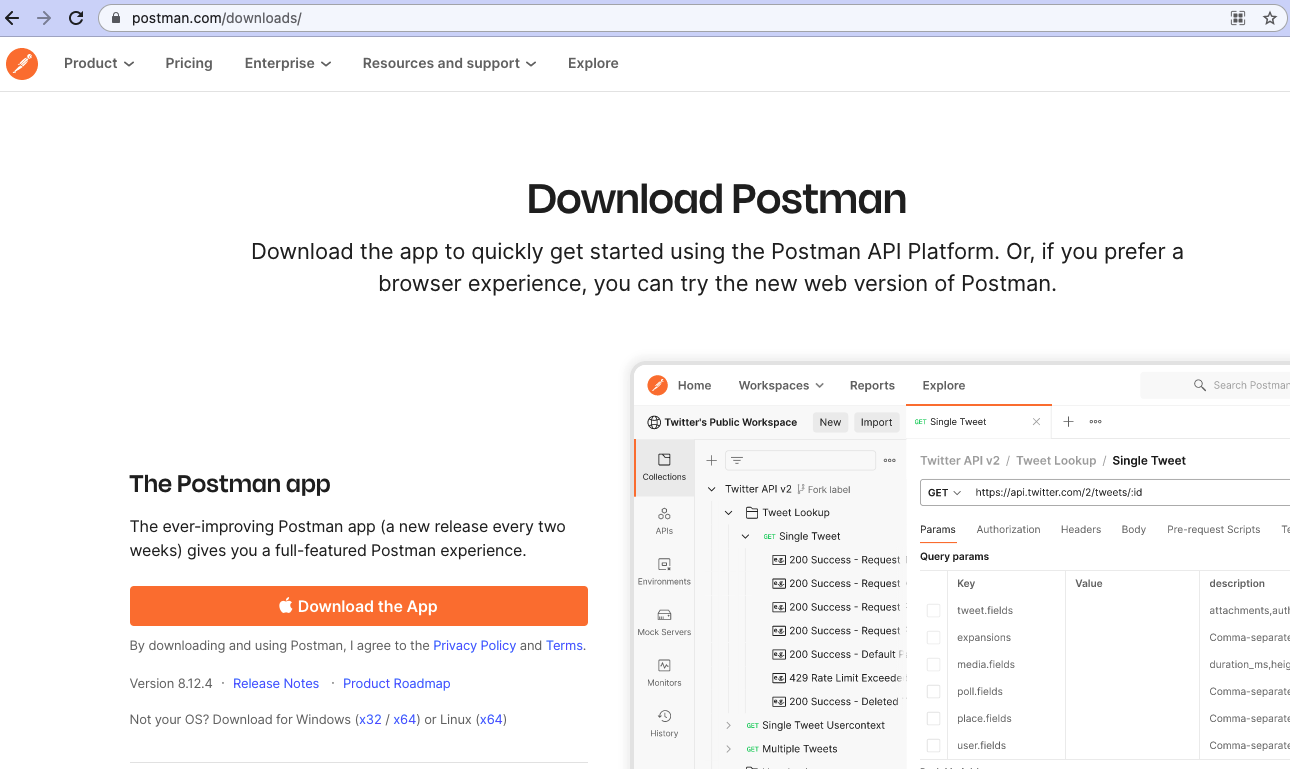
Step 1: Download Postman: https://www.postman.com/downloads/
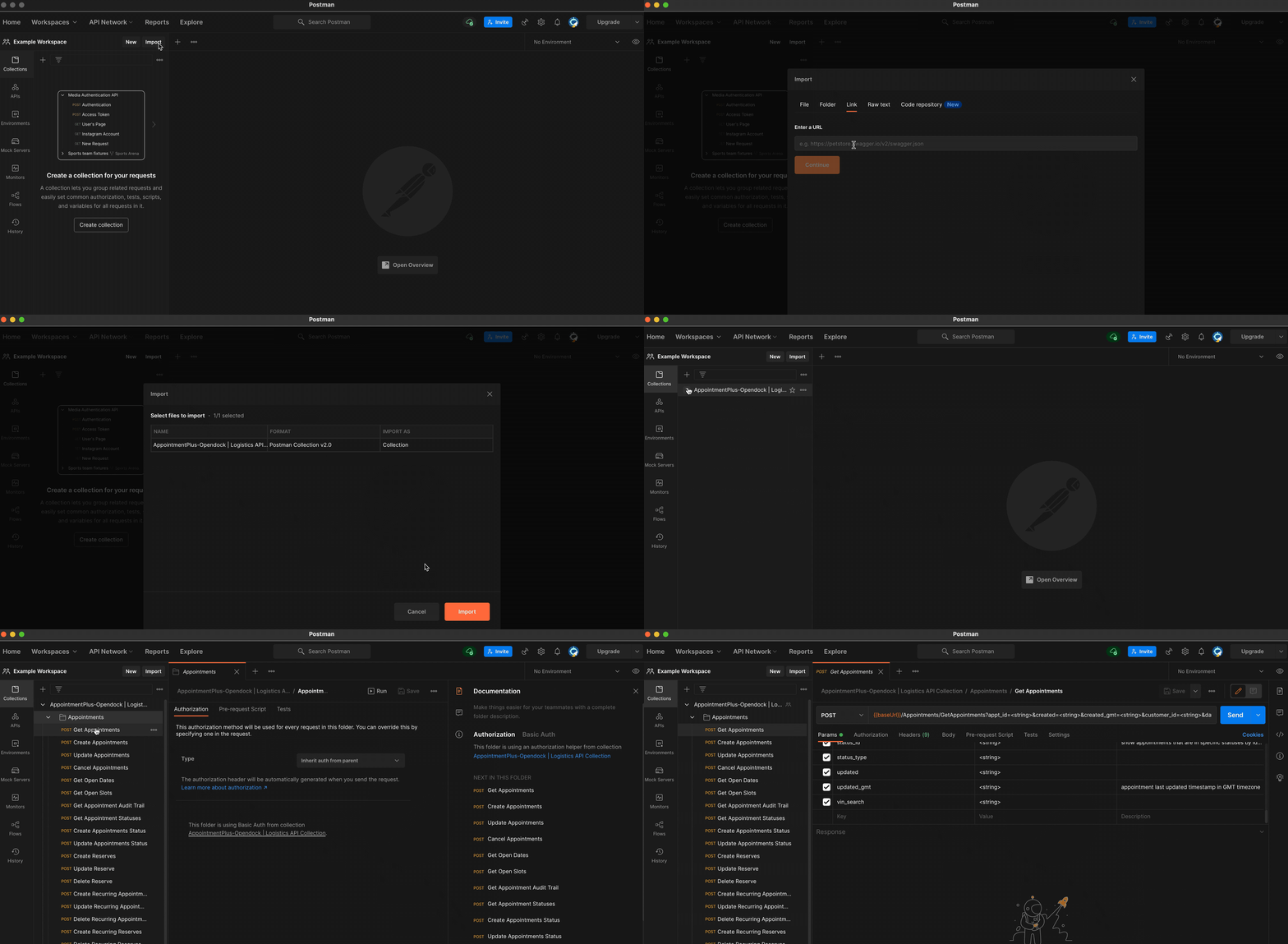
Step 2: Import Collection using this link: https://www.getpostman.com/collections/85bac79365fa01d0386c
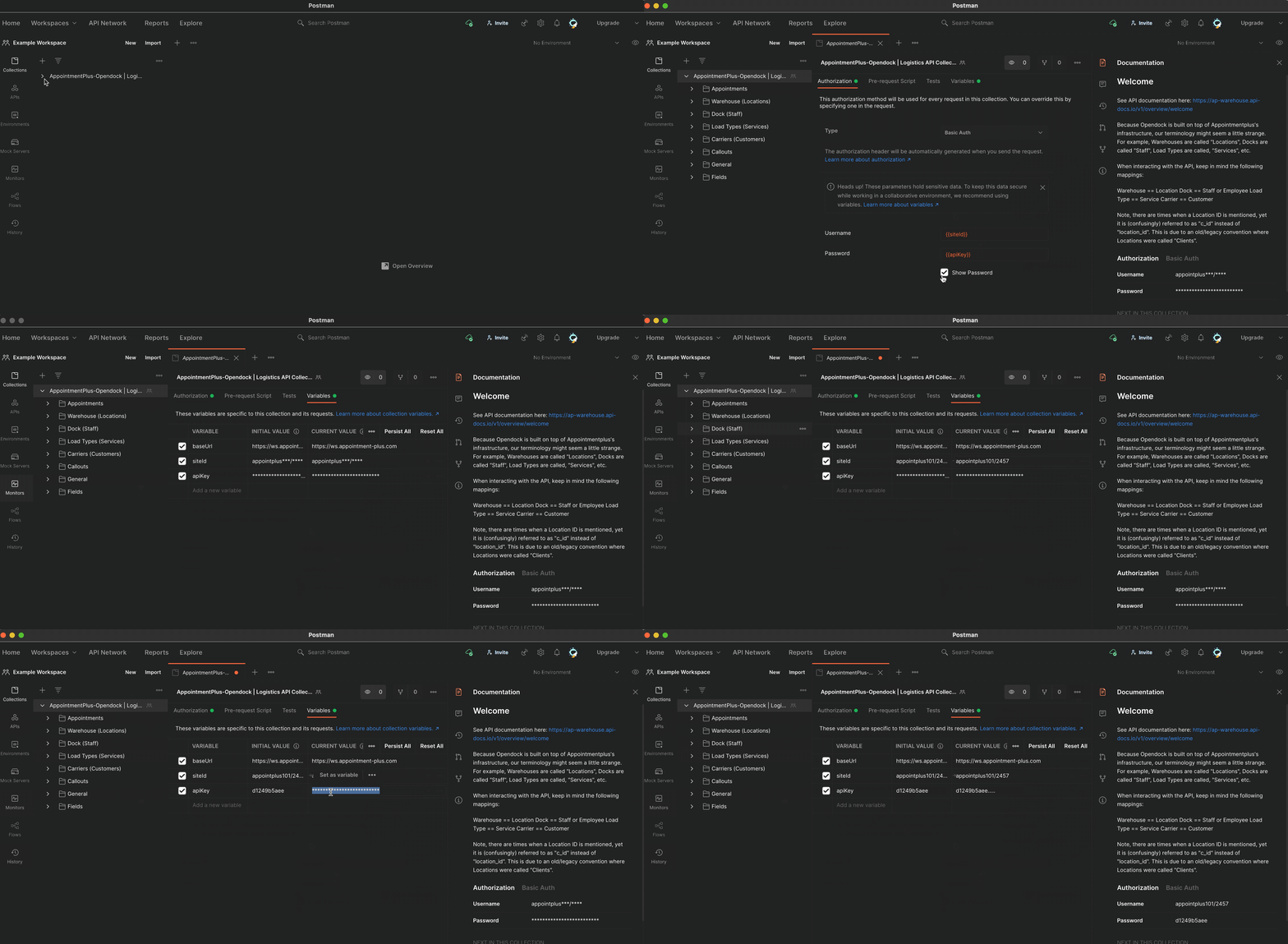
Step 3: Configure the authorization credentials at the top level folder under the "Variables" tab using your Site Id and API Key.
To obtain these, please reach out to your Custom Support Manager or email support@opendock.com.
You're now set up to play with the API! Be sure you're using a training account environment to avoid accidentally changing or deleting important account data.
***Have any questions? Chat with us live during our business hours (Mon-Fri from 8am-5pm Arizona time). Or feel free to email us anytime at support@opendock.com.***
Comments
0 comments
Please sign in to leave a comment.